What can the AI built into your phone actually do?
Your phone probably already has an AI assistant built in, whether you asked for one or not. Here is what Gemini, Apple Intelligence, Siri and Galaxy AI actually do, what leaves your phone, and why Europe gets some of it later.
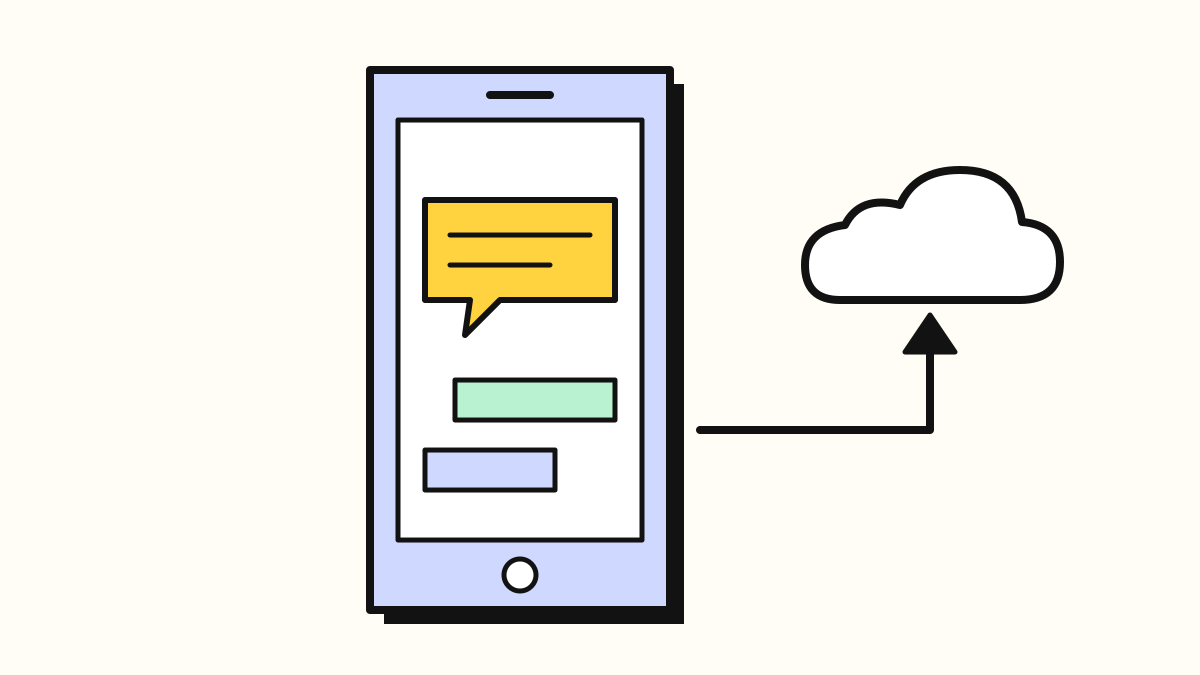
Most new phones now come with an AI assistant: Gemini on Android, Apple Intelligence and Siri on iPhone, and Galaxy AI on Samsung phones. They can summarise, help you write, edit photos, answer questions about your screen and translate calls, but some features run on the phone itself while others send your request to company servers. In the EU, Apple's new Siri AI is not available on iPhone, and every system lets you turn most features off in Settings.
Which AI assistant is already on my phone?
If you have bought a phone in the past couple of years, it may well have a generative AI assistant built in. Which one depends on who made the phone.
- Android phones: Google's Gemini. Google said in March 2025 that it was moving phones from the old Google Assistant to Gemini, and in an email reported by Tom's Guide in August 2026 it said it would "begin removing access to Google Assistant starting on September 4." Once that happens, you can't switch back. "Hey Google" and a long press of the power button now open Gemini.
- Samsung Galaxy phones: Gemini as above, plus Samsung's own set of features called Galaxy AI, built into the Phone, Notes, Gallery and other apps.
- iPhones: Apple Intelligence, a set of AI features spread across the system, and Siri. With iOS 27, Apple added a new, more conversational assistant called Siri AI, released as a beta in September 2026. It needs an iPhone 15 Pro or newer, according to Apple's support page.
Then there are the apps you install yourself: ChatGPT, Claude, Copilot and others. These are the same chatbots you can use in a browser, with added voice and camera features. On Android, some can replace Gemini as the default assistant: 9to5Google reported in March 2025 that ChatGPT can be picked as the default, so a long press of the power button opens ChatGPT's voice mode instead. Our guide to which chatbot to use compares them.
What can these assistants actually do day to day?
Summaries. Phones can now shorten long things: a notification pile, a web page, a recorded meeting. Apple Intelligence summarises notifications, Samsung offers summaries in Notes, the browser and the voice recorder, and Google's Pixel phones summarise recordings. Treat summaries as a hint, not the news. In January 2025, CNN reported that Apple paused its summaries of news notifications after they produced false headlines, including one the BBC complained about. AI that summarises can still make things up.
Writing help. Every system can draft or rewrite text where you type. Apple calls the new version "Write with Siri"; Samsung calls it Writing assist; Google has Magic Compose in its Messages app. More in our guide to AI for everyday writing.
Photo editing. You can remove an unwanted object, reframe a shot afterwards, or describe an edit in words. Samsung says its Photo Assist on the Galaxy S26 can now take plain-language requests such as turning a daytime scene into night. Apple's iOS 27 adds an upgraded Clean Up tool and a feature called Spatial Reframing.
Questions about your screen or camera. On Android, you can call up Gemini over any app and tap "Ask about screen" or "Ask about page", for example to summarise the article you are reading. On iPhone, Apple says you can now ask Siri about what's on the screen, and Siri has its own mode in the Camera app for asking about what's in front of you. These assistants are multimodal: they can take in pictures as well as words.
Live translation. Handy for anyone who crosses borders. On iPhone, Live Translation works in Messages, in phone calls (the other person hears a spoken translation, and both sides are told the call is being translated) and in FaceTime. Samsung's Live Translate does the same for phone calls, after you download the language packs. Google lists Live Translate for audio and video on its new Pixel 11.
Calls and actions in apps. Assistants are starting to do things for you, not just answer. Apple says Siri AI can send messages or create calendar events across apps. Google's Gemini Intelligence, now on the Pixel 10 and 11 and on Samsung's S26 and newest foldables, can handle tasks such as ordering food or booking a table across apps, according to Google's November 2026 post. Pixel phones also offer Call Notes, which records and summarises calls, and Google says its scam detection checks calls in real time on the phone. See our explainer on AI agents for the risks.
What stays on the phone, and what goes to the cloud?
This is the question that matters most for privacy, and the answer is: it depends on the feature.
Some AI work runs on the phone's own chip, using a small model stored on the device, so nothing needs to leave the phone. Bigger jobs go to the company's servers, where much larger models do the work, which means your request travels over the internet to someone else's computer.
iPhone. Apple's privacy guide says that in many cases Apple Intelligence "models run entirely on device." Apple says Live Translation "runs entirely on device to keep your messages private." When a request needs more power, Apple sends it to its own servers, called Private Cloud Compute. Apple says data processed there "is not stored or made accessible to Apple", and that independent researchers can inspect the server code. Apple's iOS 27 pages don't spell out which Siri AI requests stay on the phone and which go to the servers; they say only that server features have daily usage limits.
ChatGPT inside iPhone. Apple also lets Siri and its writing tools pass some requests to ChatGPT. This is off by default. Apple says your IP address is hidden from OpenAI, and OpenAI says it doesn't store or train on requests if you aren't signed in. If you connect your ChatGPT account, your normal ChatGPT settings apply, and your chats may be used to train OpenAI's models unless you turn that off.
Samsung. Samsung's support page is unusually clear: most translation runs on the device, as do Gallery edit suggestions and Google's Magic Compose in Messages. Auto formatting, summarising and image editing use the cloud, and "most other features require a network connection and will utilize the cloud in some way."
Android and Gemini. The Gemini assistant itself runs on Google's servers. Google's privacy page says that if you keep the setting called Keep Activity on, what you share with Gemini, including screens, is saved in your activity. Even with it off, Gemini chats are kept for 72 hours. Some Pixel features use a small on-device model called Gemini Nano. Google's store pages list Call Notes, Pixel Screenshots and Magic Compose as working offline.
For more on what chatbot companies keep and how to delete it, see your data and AI chatbots.
Why do Europeans get some features later, or not at all?
Mostly because of the EU's Digital Markets Act (DMA). This law requires the largest tech platforms, which it calls gatekeepers, to open their systems to competitors. Apple and the European Commission disagree sharply about what that means for AI.
- Siri AI is not available on iPhone, iPad or Apple Watch in the EU. Apple's support page, updated on 5 November 2026, still says so. EU users can use it on a Mac or Apple Vision Pro. Apple told the Associated Press that the EU's reading of the law would force it to give rival assistants "direct access" to user data without "essential protections". The Commission's spokesman, Thomas Regnier, replied that "absolutely nothing in the DMA prohibits Apple from introducing new products in the EU." Engadget reported that Apple has "no timeline" for an EU launch.
- Other Apple Intelligence features do reach the EU. Apple says the new photo editing, Image Playground and browsing features work for EU users on iOS 27.
- Some delays end. In September 2025 Apple said Live Translation with AirPods was delayed in the EU. MacRumors reported that it arrived with iOS 26.2 in December 2025. iPhone Mirroring remains unavailable in the EU, according to Apple.
- Android is opening up. In July 2026 the Commission ordered Google to give rival AI assistants the same access to Android features as Gemini, including voice activation and the ability to carry out actions in apps. The Commission's announcement did not give a date by which this must happen.
Google's November 2026 post says Gemini Intelligence features are "available for select countries and languages", and lists the UK, India and Japan as the next countries for task automation. Language matters too: Siri AI speaks only English, French, Japanese, Korean, Portuguese and Spanish, and "Hey Google" doesn't work in Bulgarian, Croatian, Estonian, Finnish or Greek, among others. For the wider rules, see our guide to the EU AI Act.
How do I turn these features on or off?
You can switch off most of it.
iPhone
- The Apple Intelligence switches are in Settings > Apple Intelligence & Siri.
- To stop Siri passing requests to ChatGPT, open ChatGPT in that same menu and turn off Use ChatGPT, Apple's privacy page says.
- To try Siri AI (outside the EU), go to Settings > Siri and tap Try Siri AI (Beta). Apple warns that busy periods can mean a waitlist.
Android with Gemini
- To stop the power button opening Gemini: Settings > System > Gestures > Press & hold power button, then choose another action.
- To stop "Hey Google": in the Gemini app, tap your profile picture, then Settings > Talk to Gemini hands-free, and turn off Hey Google.
- To choose a different assistant, or none: Settings > Apps > Default apps > Digital assistant app.
- Deleting the Gemini app does not remove it as your default assistant, Google says, so check step 3 too. Menu names vary by phone maker.
Samsung Galaxy
- Open Settings > Galaxy AI (on some models, under Advanced features) and switch off individual features.
- To keep everything on the phone, turn on Process data only on device. Samsung says this turns off all cloud processing for Galaxy AI. According to SamMobile, you then lose features such as summaries in Notes and the browser and the generative photo edits.
- Samsung says signing in with a Samsung account turns all the AI features on automatically, and some built-in features can't be disabled.
Does it cost anything, in money, battery or storage?
Money. The built-in features are free for now, but the signs of paid tiers are there. Apple says Siri AI has daily usage limits and that "expanded access will be available for a fee in the future." Samsung says its basic Galaxy AI features are free, and that future advanced features may come as part of a paid subscription. If you are thinking about paying for a separate chatbot app, read is a paid AI subscription worth it?
Storage. On-device AI needs the models stored on your phone. Apple says the new Apple Intelligence takes up to 8 GB on most eligible iPhones and up to 14 GB on the iPhone 17 Pro and newer high-end models, and can briefly take more around a software update. Google and Samsung do not publish a comparable figure on the pages we checked.
Battery. No phone maker publishes a figure for how much battery AI features use. Apple says that after any update, tasks keep running in the background for a while and "might affect battery life", and suggests waiting a few days before judging. Work done on the phone uses its chip; work sent to the cloud uses your data connection instead, and cloud features stop working when you have no signal.
Sources
- Apple Support: Get started with the next generation of Apple Intelligence (5 November 2026)
- Apple Support: How to get Siri AI (5 November 2026)
- Apple Newsroom: Apple unveils next generation of Apple Intelligence, Siri AI and more (8 June 2026)
- Apple Newsroom: Major updates for Apple's software platforms are now available (14 September 2026)
- Apple Support: Use Live Translation on iPhone (14 September 2026)
- Apple Support: Apple Intelligence and privacy on Mac
- Apple Legal: ChatGPT Extension and Privacy
- Apple Support: If the battery in your iPhone or iPad drains too quickly (22 October 2026)
- Apple Newsroom: The Digital Markets Act's impacts on EU users (24 September 2025)
- MacRumors: iOS 26.2 expands Live Translation on AirPods to EU (4 November 2025)
- Associated Press (via NY1): Apple and Brussels blame each other for delaying EU rollout of Siri AI (9 June 2026)
- Engadget: Siri AI for iPhones and iPads will be delayed indefinitely in the EU (June 2026)
- OpenAI Help Center: How your data is handled when you use ChatGPT through Apple's integrations
- CNN (via ABC7): Apple is pulling its AI-generated notifications for news after generating fake headlines (17 January 2025)
- Google: The Assistant experience on mobile is upgrading to Gemini (14 March 2025)
- Tom's Guide: Google Assistant dies in September (5 August 2026)
- Google: Gemini Intelligence, new features on more devices (10 November 2026)
- Google: 7 can't-miss updates from our Pixel 11 launch
- Google Store: Gemini Nano multimodal capabilities on Pixel phones
- Google Gemini Apps Help: What you can do with your Gemini mobile app
- Google Gemini Apps Help: Manage or delete the Gemini app on your Android device
- Google: Gemini Apps Privacy Hub
- European Commission: Commission provides guidance to Google on AI interoperability on Android (16 July 2026)
- 9to5Google: ChatGPT can now be your default assistant on Android (14 March 2025)
- Samsung Support (US): Use features with Galaxy AI on your Galaxy phone and tablet
- Samsung Support (UK): How to use Live Translate for phone calls with Galaxy AI
- Samsung Newsroom UK: Everyday moments, made easier with Galaxy AI (23 March 2026)
- SamMobile: Use Galaxy AI without sending data to Samsung, here's what you lose (September 2025)